
Browse AI
No-code AI tool to extract and monitor web data
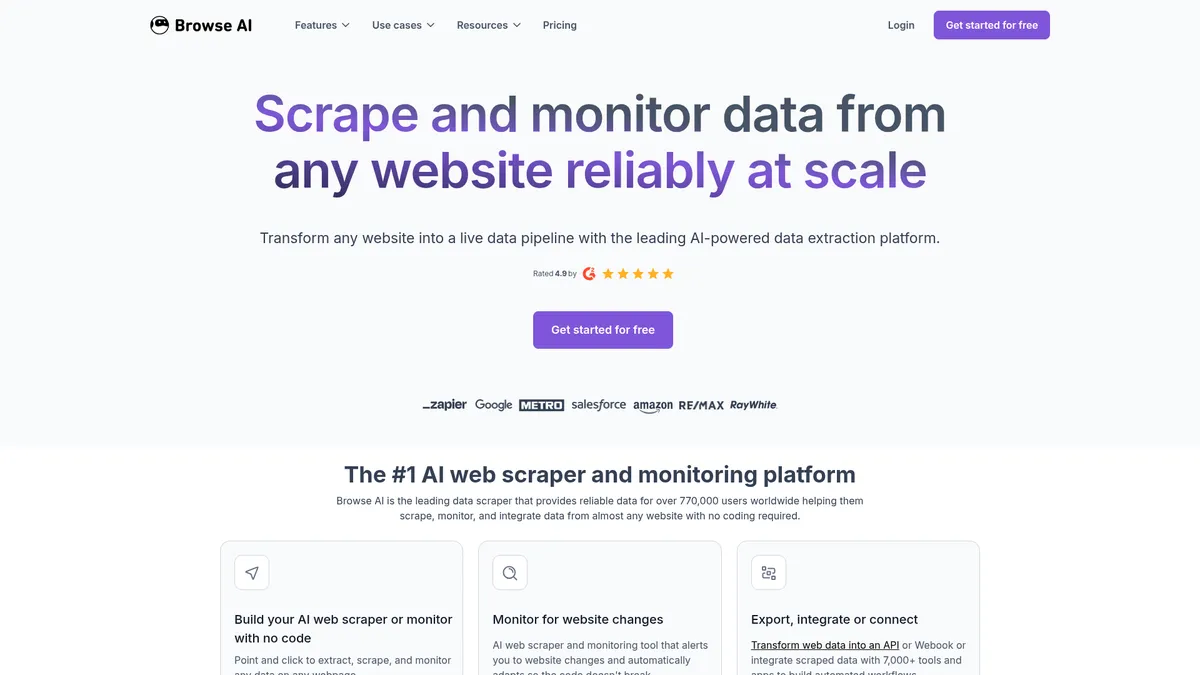
What is Browse AI?
How to Use Browse AI
Browse AI makes it easy to extract and monitor web data in just a few clicks. Follow these steps to create your first scraper and start collecting structured data from any website.
Create a new robot
Navigate to the Browse AI dashboard and click 'New Robot'. Enter the target URL of the website you want to scrape. The built-in browser will load the page for you.
Select the data to extract
Use the point-and-click interface to highlight the elements you want to scrape—text, images, tables, or lists. Browse AI will automatically identify similar elements across the page.
Configure scheduling and output
Set how often you want the robot to run (hourly, daily, weekly) and choose your output format: API, webhook, Google Sheets, or one of 7,000+ integrations.
Run and monitor
Click 'Run' to start extraction. Monitor your robot's performance, view extracted rows, and set up alerts for changes. You can also chain multiple robots together for complex workflows.
Browse AI Core Features
Browse AI Use Cases
- 1Price and inventory monitoring – Track competitor pricing and stock levels in real time to adjust your own strategy and stay competitive.
- 2Lead generation – Extract contact information from business directories and websites to build targeted outreach lists for sales campaigns.
- 3Market research – Gather product specs, reviews, and pricing trends across multiple sites to inform product development and positioning.
- 4Real-time data feeds – Convert live web tables and listings into searchable APIs or dashboards for instant analytics and reporting.
- 5Compliance and brand protection – Monitor your brand mentions, policy changes, or regulatory updates across the web to manage risk and reputation.
Pros and Cons of Browse AI
Pros
- Fully no-code – Anyone can build powerful scrapers with a visual interface, no programming skills required.
- AI adapts to layout changes – The built-in AI automatically handles website redesigns, reducing maintenance overhead.
- Handles dynamic JavaScript-heavy sites – Human-like interactions and proxy rotation let you scrape modern web apps without getting blocked.
- Huge integration ecosystem – 7,000+ pre-built connectors make it easy to pipe data into your existing tools and workflows.
✕ Cons
- Credit-based pricing can get expensive – High-volume scraping projects may require significant credits, driving up costs.
- Advanced features require Premium plan – Dedicated support, custom limits, and data transformations are locked behind the $500+/month tier.
- No on-premise deployment – All processing happens in the cloud, which may not suit organizations with strict data residency requirements.
Browse AI vs Top Alternatives
| Feature | Octoparse | ParseHub | Apify |
|---|---|---|---|
| No-code interface | Visual point-and-click interface | Visual but steeper learning curve | Code-focused, less accessible |
| AI layout adaptation | Basic AI, limited adaptation | No AI adaptation | No AI adaptation |
| Integration ecosystem | Fewer integrations | Limited integrations | Zapier and API integrations |
| Pricing transparency | Per-page pricing, can be expensive | Per-page credits | Pay-per-result, flexible |
Browse AI Pricing
Free
- 50 credits per month
- 2 domains
- 3 users
- Full platform access
Personal
- 12,000 credits per year (annual) or 2,000 per month (monthly)
- 5 domains
- 3 users
- Basic email support
Professional
- 60,000 credits per year (annual) or 5,000 per month (monthly)
- 10 domains
- 10 users
- Priority email support
Premium
- 600,000+ credits per year
- Custom domains
- Custom users
- Dedicated account manager
- Fully managed onboarding
- Data transformations
- Custom limits
Browse AI FAQ
What is Browse AI?+
How does Browse AI handle dynamic websites?+
Is Browse AI suitable for non-technical users?+
What integrations does Browse AI support?+
How does Browse AI pricing work?+
Is my data secure with Browse AI?+
Can I monitor website changes with Browse AI?+
Browse AI Review — Editor's Score
Who Should Use Browse AI?
Marketers, data analysts, e-commerce sellers, and developers who need reliable, automated web data extraction without writing code. Also suitable for enterprises requiring compliant, managed scraping services.
Browse AI is a standout no-code web scraping platform that balances power with accessibility. Its AI-driven adaptation and enterprise-grade reliability make it a top choice for businesses that need consistent data extraction without constant maintenance. While the credit system can get pricey for large volumes, the free tier and transparent pricing let you start small and scale. For anyone tired of fragile scrapers, Browse AI delivers a polished, production-ready solution.
- No-code visual robot builder
- AI adapts to website layout changes
- 7,000+ integrations
- SOC 2 Type II compliant
- Handles dynamic JavaScript content
📺 Browse AI Tutorials & Introduction
Browse AI 101: Complete beginner's guide to web scraping without ...
Browse AI Tutorial for Beginners: Automate Web Scraping Without ...
This Free AI Tool Scrapes EVERYTHING... (Browse AI Tutorial)
Keywords: