

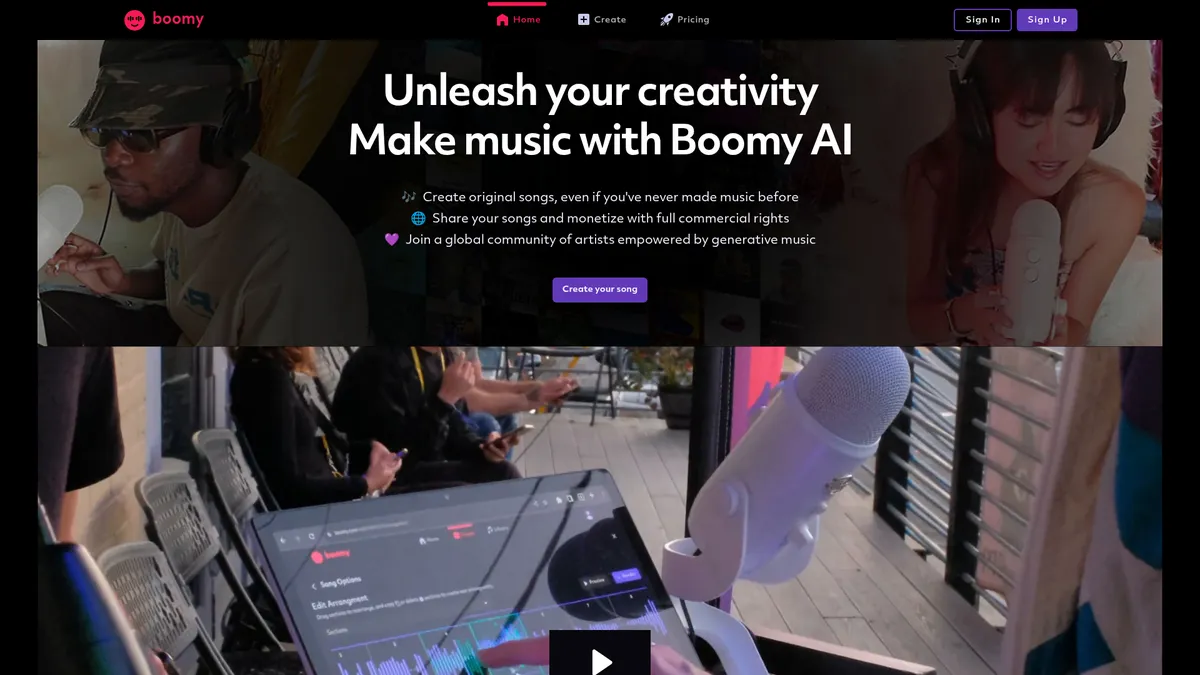
What is Boomy?
How to Use Boomy
Creating music with Boomy is incredibly straightforward. Here's a step-by-step guide to generating your first original track, from selecting a style to exporting your finished song for use in your projects.
Sign up and choose a plan
Create a free Boomy account to access the platform. You can start with the Free plan to explore basic features and generate up to 25 songs, or upgrade to Pro or Premium for advanced editing, WAV downloads, and commercial licensing rights.
Select a genre and generate your track
Click the 'Create' button and choose from a variety of musical genres including lo-fi, hip-hop, electronic, rock, pop, ambient, and classical. Boomy's AI will instantly generate a unique original track based on your selection, complete with melody, harmony, and rhythm.
Edit and customize your song
Use the built-in editing suite to adjust tempo, key, song structure, and instrument layers. Pro and Premium users can access advanced tools like vocal stem separation and audio effects to fine-tune the sound exactly how they want it.
Export, distribute, or share
Download your finished track as MP3 or WAV (paid plans only) with full commercial rights. Premium users can also distribute songs directly to Spotify, Apple Music, and other streaming platforms, or share them with the Boomy community for feedback.
Boomy Core Features
Boomy Use Cases
- 1Social media creators can generate unique background music for TikTok, Instagram Reels, and YouTube Shorts in seconds, avoiding copyright claims while maintaining a consistent posting schedule.
- 2Independent musicians and producers can rapidly prototype song ideas, experiment with unfamiliar genres, and generate full demo tracks without needing studio access or session musicians.
- 3Podcasters and video producers can source royalty-free intros, outros, and background scores with full commercial rights, eliminating the hassle of licensing third-party music.
- 4Brands and marketing agencies can create custom ad jingles, campaign soundtracks, and branded audio content quickly and cost-effectively without hiring a composer.
- 5Game developers can generate loopable, royalty-free music assets for their projects, iterating on different styles and moods to find the perfect fit for each game level.
Pros and Cons of Boomy
Pros
- Zero musical expertise required – the AI handles composition and arrangement, making professional-sounding music creation accessible to complete beginners.
- Full commercial rights on paid plans mean you can legally monetize your tracks on streaming platforms, use them in client projects, or sell them without additional licensing fees.
- Web-based interface requires no software installation, letting you create and edit music from any device with a browser and internet connection.
- Built-in DSP distribution streamlines the release process, allowing you to publish tracks directly to Spotify, Apple Music, and other streaming platforms from within the platform.
✕ Cons
- Free tier is extremely limited with only 25 song saves, no downloads, and no commercial use, making it more of a demo than a functional tool for real projects.
- AI output quality can be inconsistent, sometimes producing tracks that sound generic or formulaic compared to human-composed music, especially in complex genres.
- Advanced editing features and higher download limits are locked behind paid subscriptions, and there is no offline mode for creating music without an internet connection.
Boomy vs Top Alternatives
| Feature | Soundraw | Mubert | AIVA |
|---|---|---|---|
| Music Quality & Variety | High-quality, style-specific generation | Real-time adaptive generation for streams | Excellent classical and orchestral output |
| Commercial License | Included in Creator plan ($16.99/mo) | Available in Pro plan ($11.99/mo) | Available in Pro plan ($33/mo) |
| Direct DSP Distribution | Not available | Not available | Not available |
| Free Tier | Limited free generation with watermarks | Free tier with attribution required | Free tier with 3 downloads per month |
Boomy Pricing
Free
- 25 song saves
- Basic editing tools
- No WAV downloads
- No commercial use
Pro
- 500 song saves
- 25 WAV downloads per month
- Full commercial rights
- DSP distribution
Premium
- Unlimited song saves
- 250 WAV downloads per month
- Full commercial rights
- DSP distribution
Boomy FAQ
What is Boomy and how does it work?+
Can I use Boomy-generated music for commercial projects?+
What are the differences between the Free, Pro, and Premium plans?+
Can I distribute Boomy tracks to Spotify and Apple Music?+
Do I retain ownership of the music I create with Boomy?+
What genres of music can Boomy generate?+
Is there a mobile app for Boomy?+
Boomy Review — Editor's Score
Who Should Use Boomy?
Social media creators, podcasters, video editors, and independent musicians who need quick, royalty-free music with full commercial licensing. It's also ideal for brands and agencies looking to produce custom audio assets without hiring a studio or composer.
Boomy makes AI music creation genuinely accessible, offering a fast and intuitive way to generate original tracks without any musical background. While the free tier is too restrictive for serious use and the output can occasionally feel generic, the paid plans deliver solid value with commercial rights and DSP distribution. It's a legitimate tool for content creators and musicians who need speed and simplicity over granular control.
- Instant AI song generation across multiple genres with no musical expertise required
- Full commercial rights and monetization capabilities on Pro and Premium plans
- Built-in direct distribution to Spotify, Apple Music, and other streaming platforms
- Intuitive web-based interface that works on any device without downloading software
📺 Boomy Tutorials & Introduction
How to Make Viral Music Tracks in Minutes Using Boomy AI - YouTube
My review on Boomy: A.I. Music's Generator tool online - YouTube
How To Use Boomy AI - Honest Review - YouTube
Keywords: