

Beautiful.ai
AI-powered presentations that design themselves
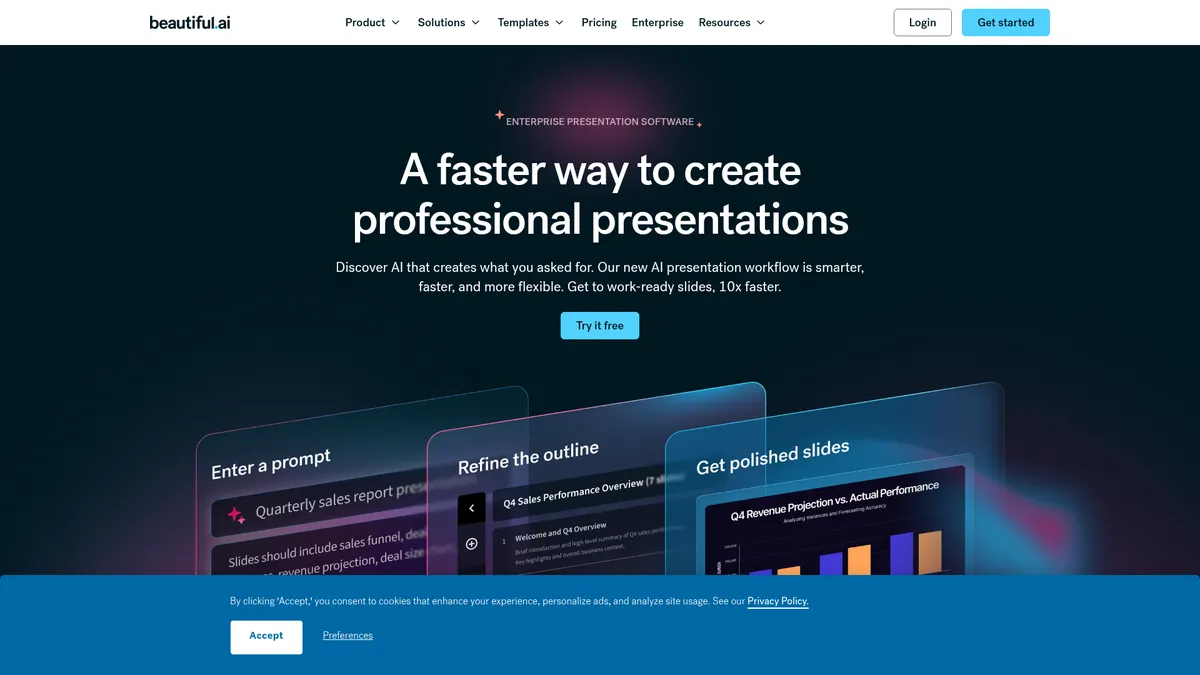
What is Beautiful.ai?
How to Use Beautiful.ai
Getting started with Beautiful.ai is quick and intuitive. Follow these steps to create your first AI-powered presentation from scratch, leveraging the platform's Smart Slides and AI generation capabilities.
Sign Up and Choose a Template
Create a free Beautiful.ai account and browse the library of 300+ AI-curated slide layouts. Select a template that matches your presentation type—whether it's a pitch deck, QBR, or marketing campaign—to get started instantly with a professional foundation.
Generate Content with AI
Use the 'Create with AI' feature to generate an entire presentation outline from a single prompt. Describe your topic and audience, and Beautiful.ai will produce a structured deck with slide-by-slide content that you can refine and customize further.
Customize with Smart Slides
Edit your slides freely by adding text, images, charts, and videos. The Smart Slides engine automatically adjusts layouts, spacing, and alignment as you work, ensuring everything stays polished, balanced, and on-brand without manual effort.
Collaborate and Present
Invite team members to collaborate in real time with comments, version control, and locked slides for key sections. When you're ready, export your presentation as a PDF, PowerPoint file, or present directly from the browser with smooth transitions and animations.
Beautiful.ai Core Features
Beautiful.ai Use Cases
- 1Sales & Pitch Decks: Sales teams can rapidly create polished, on-brand pitch decks that close deals faster. Beautiful.ai's AI handles the design heavy lifting, so reps spend more time refining messaging and less time fighting with slide layouts. The result is a consistent, professional look across every sales presentation.
- 2Quarterly Business Reviews: QBRs require data-heavy presentations that need to be both accurate and visually compelling. With live data linking, Beautiful.ai ensures charts and metrics update automatically, while the AI writing assistant helps craft narrative context around the numbers.
- 3Marketing Campaign Presentations: Marketing teams can build campaign briefs, product launch decks, and creative presentations at scale. The shared template library and brand guardrails ensure every presentation aligns with company guidelines, while real-time collaboration streamlines feedback from stakeholders.
- 4Academic Lectures & Training: Educators and trainers can generate structured course materials, lecture slides, and e-learning content quickly. The AI can translate presentations into 100+ languages, making it ideal for global classrooms or multilingual corporate training programs.
- 5Investor Updates & Board Meetings: Founders and executives can craft compelling investor updates with dynamic data visualizations. The platform's professional templates and AI-driven design ensure the focus stays on the story and the metrics that matter most.
Pros and Cons of Beautiful.ai
Pros
- Dramatically reduces presentation creation time, with customers reporting up to 75% faster builds compared to traditional tools
- No design expertise required; the AI handles layout, spacing, and styling automatically for professional results every time
- Strong brand consistency tools with custom themes, shared asset libraries, and centralized brand guardrails for organizations
- Robust collaboration features including real-time editing, version control, locked slides, and seamless team workflows
✕ Cons
- Subscription pricing can be expensive for solo freelancers compared to free alternatives like Google Slides or basic PowerPoint
- Full feature set requires a stable internet connection; offline editing capabilities are quite limited
- AI-generated suggestions sometimes need manual tweaking to match nuanced messaging, and PowerPoint exports may lose formatting
Beautiful.ai vs Top Alternatives
| Feature | Canva | Google Slides | Microsoft PowerPoint | Gamma |
|---|---|---|---|---|
| AI Design Automation | AI-powered Magic Design and Magic Write; less automated than Beautiful.ai's Smart Slides | No native AI design automation; relies on manual formatting and third-party add-ons | PowerPoint Designer offers basic design suggestions but lacks full AI automation | AI generates complete presentations from prompts, similar to Beautiful.ai's workflow |
| Real-time Collaboration | Strong real-time collaboration with comments, version history, and team folders | Excellent real-time collaboration deeply integrated with Google Workspace | Real-time co-authoring with Microsoft 365, though collaboration can be clunky | Limited collaboration features compared to Beautiful.ai's real-time editing suite |
| Template Library | Massive library of 250,000+ templates including presentations, social media, and more | Limited free templates with mostly basic layouts; premium templates cost extra | Large collection of built-in templates and themes with extensive customization | Smaller template library focused on modern, minimalist presentation designs |
| Starting Price | Free tier available; Pro at $12.99/mo for individuals | Free with a Google account; Google Workspace starts at $6/user/mo | Part of Microsoft 365 from $6.99/user/mo personal or $12.50/user/mo business | Free tier available; Pro at $8/mo for 500 AI credits |
Beautiful.ai Pricing
Pro
- Unlimited AI-generated slide content
- 300+ AI-curated layouts
- Custom brand styling
- AI writing assistant
- Image generation and stock media library
- Export to PDF and PowerPoint
Team
- All Pro features
- Real-time collaboration workspace
- Version control and locked slides
- Shared slide and template library
- Live data linking for charts
- Analytics and engagement tracking
- Multi-language creation and translation
Enterprise
- All Team features
- Dedicated onboarding and training
- SSO (SAML) and SCIM provisioning
- Audit logs and advanced permissions
- Priority support
- Custom integrations
Single-Presentation
- All Pro features for one presentation
- Monthly billing with cancel anytime
- Full access to AI generation and Smart Slides
- Export options included
Beautiful.ai FAQ
What is Beautiful.ai and how does it work?+
How much does Beautiful.ai cost?+
Is there a free trial available?+
Can I import PowerPoint files into Beautiful.ai?+
Does Beautiful.ai work offline?+
What integrations does Beautiful.ai support?+
Is Beautiful.ai suitable for teams and enterprises?+
Beautiful.ai Review — Editor's Score
Who Should Use Beautiful.ai?
Sales professionals, marketers, educators, business leaders, and anyone who needs to create polished, on-brand presentations quickly without hiring a designer or spending hours on formatting.
Beautiful.ai is a standout AI presentation tool that automates the tedious parts of slide design while keeping you in creative control. It's not the cheapest option, but the time savings and polished results make it a smart investment for professionals and teams who regularly build presentations. The Smart Slides technology truly delivers on its promise of professional design with zero effort.
- AI-driven Smart Slides automate layout and design, saving up to 75% build time
- 300+ professionally designed slide layouts for every presentation type
- Real-time collaboration with version control and locked slides for teams
- Enterprise-grade security with SSO, audit logs, and SOC 2/GDPR compliance
📺 Beautiful.ai Tutorials & Introduction
Document to AI Presentation (Beautiful.ai 3.0 Tutorial) - YouTube
This AI Presentation Maker Is Shockingly Good for ... - YouTube
I tried Beautiful.ai to make AI presentations. Does it work? - YouTube
Keywords: