

Base64 AI
AI-powered document intelligence for enterprise workflows
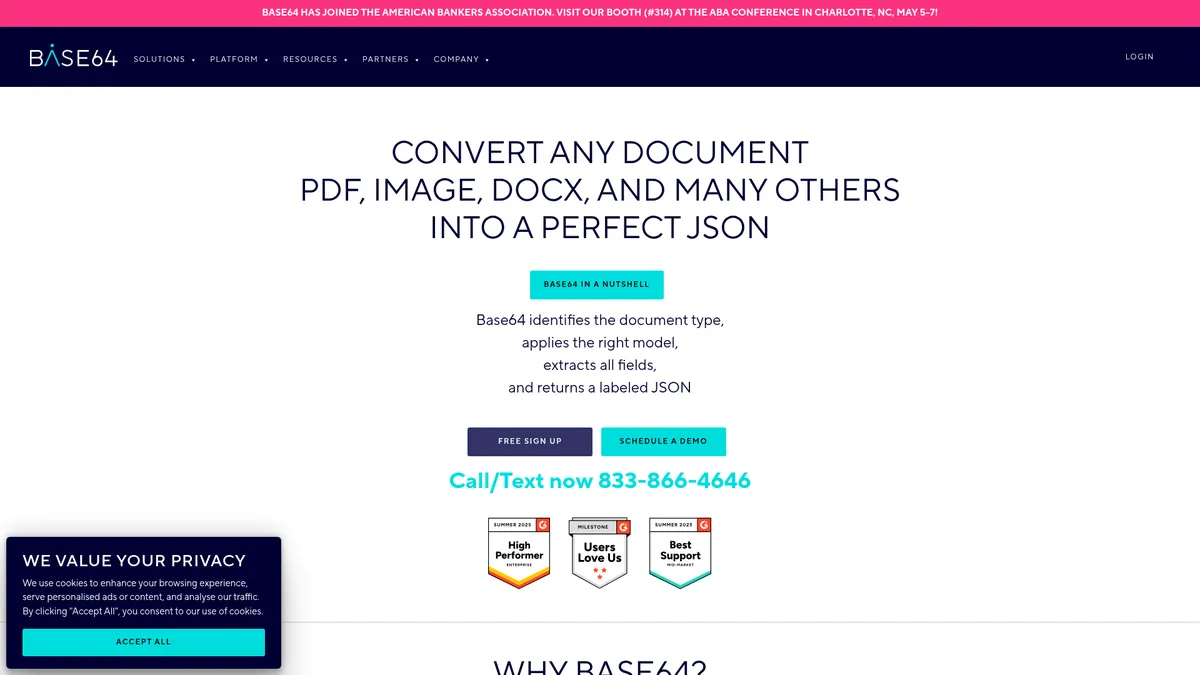
What is Base64 AI?
How to Use Base64 AI
Getting started with Base64 AI is straightforward—even if you're not a developer. The platform is designed to process documents out of the box with zero training. Here's a step-by-step guide to set up your first document extraction workflow, from uploading a file to receiving a structured JSON response.
Create your account and get API credentials
Sign up for a free Base64 AI account on their website. Once registered, navigate to the API section in your dashboard to generate your unique API key. This key authenticates all your requests and links processing to your account. The free tier gives you a limited number of pages to test with.
Upload a document for processing
You can upload documents via the web interface, through a REST API call, or by connecting a scanner or cloud folder using one of the hundreds of no-code connectors. Base64 supports PDF, JPG, PNG, TIFF, DOCX, and 45+ other formats. Simply drag and drop or point your connector at the source.
Let AI auto-detect and extract data
Once uploaded, Base64 automatically identifies the document type and selects the most appropriate pre-trained model from its library of 2,800+. The AI extracts all relevant fields—names, dates, amounts, account numbers, signatures—and structures the output. No configuration or model training is needed for standard documents.
Review, validate, and export structured JSON
You can review the extracted data in the web dashboard or set up a human-in-the-loop workflow for manual verification. Once validated, the platform returns a fully labeled JSON payload that you can push directly into your ERP, CRM, database, or any third-party application via API or built-in connectors.
Base64 AI Core Features
Base64 AI Use Cases
- 1Insurance claims processing: Automatically extract policy numbers, claim details, and adjuster notes from hundreds of document types, reducing processing time from weeks to seconds while maintaining audit trails for compliance.
- 2Loan origination and underwriting: Ingest bank statements, tax returns, and pay stubs to extract financial data instantly, enabling faster credit decisions and reducing manual data entry errors in banking workflows.
- 3Healthcare document automation: Process HIPAA-covered documents like lab reports, medical records, and benefits forms with enterprise-grade security, extracting patient data for EHR integration and billing automation.
- 4Invoice and accounts payable automation: Capture vendor details, line items, and totals from invoices across formats, auto-match to purchase orders, and push structured data directly into ERP systems via no-code connectors.
- 5Contract analysis and compliance reporting: Extract key clauses, effective dates, and renewal terms from contracts, generate compliance reports, and enable AI-powered document search across your entire repository.
Pros and Cons of Base64 AI
Pros
- Massive pre-trained model library eliminates the need for custom ML training, letting you go live with document extraction almost immediately across diverse document types.
- Enterprise-grade security certifications (ISO 27001, SOC 2, HIPAA, GDPR) make it a safe bet for regulated industries like healthcare, finance, and insurance.
- Blazing fast processing speeds—claims of ~5 seconds per document with 99.7% accuracy—dramatically cut turnaround times compared to manual processing or legacy OCR tools.
- Flexible deployment and pricing model: run in the cloud for convenience or on-prem for air-gapped security, and pay only for the features and volume you actually use.
✕ Cons
- Pricing transparency is limited; enterprise plans require sales consultation and usage-based quotes can make budgeting unpredictable for smaller teams.
- Platform complexity can be overwhelming for small businesses or simple use cases—the sheer volume of features and configuration options demands dedicated onboarding.
- Advanced add-ons like AI agents, RAG document search, and fraud detection require additional expertise and may increase total cost significantly beyond the base plan.
Base64 AI vs Top Alternatives
| Feature | ABBYY | Nanonets | Rossum |
|---|---|---|---|
| Pre-trained model library | 2,800+ pre-trained models vs. ABBYY's 200+ document types | Enterprise-grade HIPAA/SOC 2 compliance | >50 file format support including video frames |
| Deployment flexibility | Cloud-native or on-premises deployment | Human-in-the-loop verification built into all plans | Document fraud detection and signature verification |
| AI capabilities beyond OCR | Agentic AI with autonomous decisioning capabilities | Generative AI summarization and Q&A features | RAG-powered document search across repositories |
| Pricing and scalability | Pay-as-you-go usage-based pricing with free tier | No-code form builder and 500+ pre-built connectors | Custom model builder for proprietary document types |
Base64 AI Pricing
Free Tier
- Limited document processing volume
- Basic OCR capabilities
- API access for evaluation
- Community support
1 Cent OCR
- Core OCR with 165+ languages
- Handwriting recognition
- 93 output formats
- RPA and scanner integrations
- Enterprise security certifications
- Unlimited user seats
- SLA support
Document AI
- All 2,800+ pre-trained models
- Automated document classification
- Flow management
- Human-in-the-loop verification
- Custom model builder
- Taxonomy builder
- Generative AI and Q&A
Enterprise
- Flexible deployment (cloud or on-prem)
- LDAP/SSO and Active Directory
- Dedicated implementation team
- Customer success manager
- Premium support with SLA
- Professional services
Base64 AI FAQ
What is Base64 AI and how does it work?+
Is Base64 AI free to use?+
What file formats does Base64 AI support?+
Is Base64 AI HIPAA compliant?+
Does Base64 AI require machine learning expertise?+
How accurate is Base64 AI's data extraction?+
How does Base64 AI pricing work?+
Base64 AI Review — Editor's Score
Who Should Use Base64 AI?
Base64 is ideal for enterprises in insurance, banking, healthcare, and government that process large volumes of diverse documents and need compliance-ready, high-accuracy data extraction at scale. It's also a strong fit for organizations undergoing digital transformation who want to automate complex document workflows without building custom ML models in-house.
Base64 AI is a powerhouse for enterprise document processing, offering an unmatched library of pre-trained models, enterprise-grade security, and lightning-fast extraction speeds. While smaller teams might find the platform complex and pricing opaque, large organizations in regulated industries will appreciate the compliance-ready architecture and flexible deployment options. It's not the simplest tool on the market, but for high-volume, high-stakes document workflows, Base64 delivers where others fall short.
- 2,800+ pre-trained document models enable instant go-live without ML expertise
- 99.7% claimed extraction accuracy with human-in-the-loop verification options
- Enterprise compliance certifications (HIPAA, SOC 2, ISO 27001, GDPR) out of the box
- Flexible cloud or on-prem deployment with usage-based pricing and free tier
📺 Base64 AI Tutorials & Introduction
Automate Document Processing With Base64.ai and Zapier!
How to build custom Document Intelligence models in Microsoft Azure
Managing Flow Restrictions - YouTube
Keywords: