

Arcade
Create interactive demos in minutes with AI
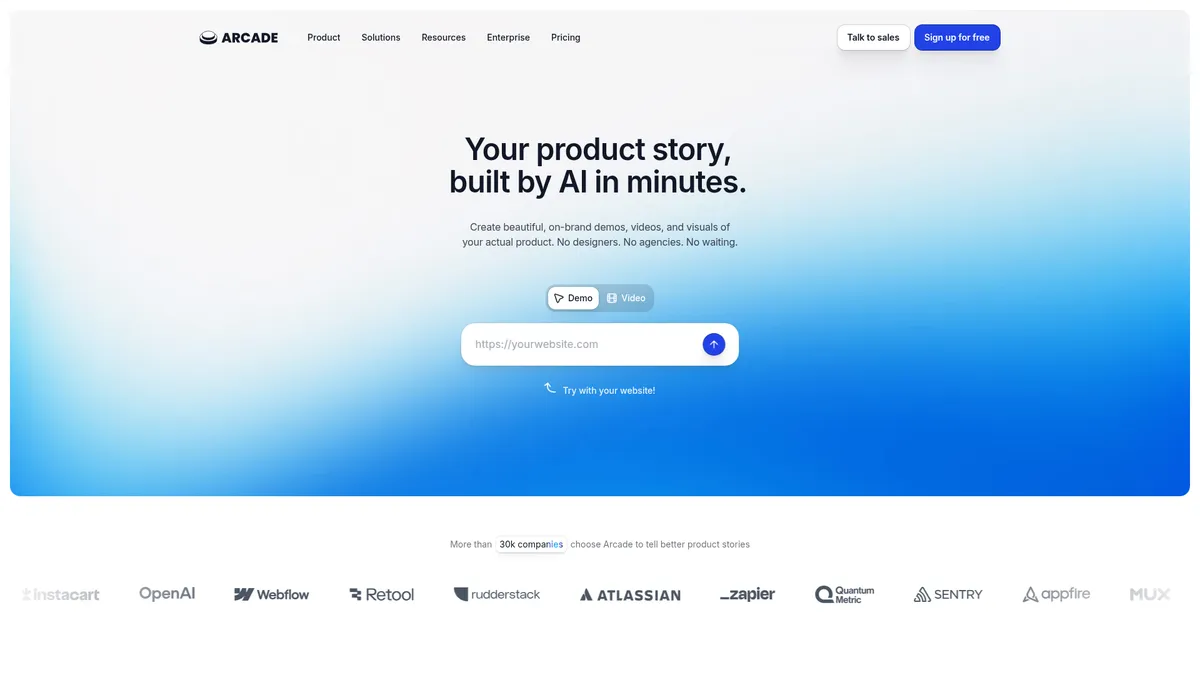
What is Arcade?
How to Use Arcade
Creating an interactive product demo with Arcade takes just a few minutes. Follow these simple steps to capture your product, enhance it with AI, and share it with your audience.
Install the Arcade Chrome Extension
Download the free Chrome extension from the Chrome Web Store to capture your screen directly from the browser. You can also use the desktop app for full-screen recording across any application on Mac or Windows.
Capture your product flow
Navigate through your product while recording. Arcade automatically captures every click, screen transition, and interaction. You can pause and resume recording as needed to focus on specific features.
Edit and enhance with AI
Open the recording in Arcade's editor. Use AI tools to trim footage, remove filler pauses, add natural-sounding voiceovers, insert branching logic, and apply your brand kit colors and fonts with a single click.
Add interactivity and CTAs
Enhance your demo with clickable buttons, form fields for lead capture, and branching paths that adapt based on viewer choices. All of this can be done without writing a single line of code.
Publish and distribute
Choose your output format: an interactive embed link for your website, a downloadable video file, or an animated GIF. Share the link via email, embed it in your help center, or add it directly to your sales deck.
Arcade Core Features
Arcade Use Cases
- 1Campaign asset creation - Marketing teams can rapidly produce on-brand demos, videos, and GIFs for product launches and lead generation campaigns without requiring design agency support or video editing expertise.
- 2Sales demo personalization - Sales reps create interactive walkthroughs with branching paths and embedded CTAs that adapt to each prospect's interests and capture leads directly within the demo experience.
- 3Customer onboarding tours - Customer success teams build self-serve product tours and tutorials that can be embedded in help centers, reducing support tickets and accelerating time-to-value for new users.
- 4Internal training and enablement - Enablement teams develop consistent, branded training materials and feature rollout documentation that keep sales and product teams aligned and informed.
- 5Cross-functional GTM collaboration - Marketing, sales, and product teams co-author demo assets in shared workspaces, ensuring brand consistency across all go-to-market content and channels.
Pros and Cons of Arcade
Pros
- Blazing fast content creation - The average demo takes just six minutes to produce, dramatically compressing the time from concept to published asset compared to traditional video production workflows.
- No-code interactivity for everyone - Anyone on the team can add branching logic, clickable CTAs, and lead capture forms without engineering or design support, making demo creation accessible to non-technical users.
- Strong brand consistency at scale - Centralized brand kits automatically apply colors, fonts, and logos across all assets, eliminating off-brand or inconsistent content across your entire demo library.
- Built-in analytics for ROI tracking - Real-time engagement metrics and integrated form capture turn every demo into a measurable lead generation touchpoint with clear performance data.
✕ Cons
- Paid tier pricing is opaque - Growth and Enterprise plan costs require contacting sales directly, making budget planning difficult for smaller teams and potentially delaying procurement cycles.
- AI credit system can limit production - Heavy content creators may hit monthly credit caps, potentially incurring additional costs or requiring plan upgrades to maintain production volume.
- Advanced features locked behind enterprise tier - Security controls, SSO, and custom domains are exclusive to custom contracts, which may slow adoption for larger organizations requiring those capabilities.
Arcade vs Top Alternatives
| Feature | Loom | Walnut | Storylane |
|---|---|---|---|
| AI-powered editing and enhancement | Basic trimming and CTAs with limited AI enhancement | AI-powered demo creation with editing tools | AI-assisted demo building with template focus |
| Interactive branching and conditional logic | Not supported; linear video recording only | Full interactive branching with conditional paths | Interactive branching and clickable elements |
| Brand kit management and consistency | No centralized brand kit management | Brand customization but no automated kit application | Custom branding options available |
| Viewer analytics and lead capture | Viewer tracking with basic engagement data | Engagement analytics with lead capture | Basic analytics and engagement tracking |
Arcade Pricing
Free
- 1 published demo
- 1 published video
- Capture anywhere
- AI voice-over
- 200 AI credits per month
Growth
- All Free features
- Integrations with Figma, Notion, Webflow
- Demo branching and CTAs/forms
- Advanced insights and custom watermark
- 800 AI credits per month
Enterprise
- All Growth features
- Up to 10 brand kits
- SSO and role-based access
- Custom domains and offline access
- 100,000 AI credits per year
Arcade FAQ
What is Arcade?+
How does Arcade's AI work?+
Is Arcade free to use?+
Who is Arcade designed for?+
What integrations does Arcade support?+
Can I add interactivity to my demos?+
How does Arcade handle team collaboration?+
Arcade Review — Editor's Score
Who Should Use Arcade?
Arcade is ideal for marketing, sales, and enablement leaders at mid-market to enterprise organizations who need to create interactive product demos and videos at scale without relying on design or engineering resources.
Arcade is a standout tool for GTM teams that need to produce high-quality, interactive demos at speed. Its AI-powered editing, brand consistency features, and built-in analytics make it a compelling all-in-one alternative to piecing together multiple tools. While the opaque paid pricing and AI credit system are drawbacks, the generous free tier lets teams validate its value before committing.
- Creates polished demos in an average of six minutes
- No-code branching, CTAs, and lead capture forms
- Centralized brand kits for automatic consistency
- Native integrations with Figma, Notion, and Webflow
- Built-in analytics track viewer engagement and conversions
📺 Arcade Tutorials & Introduction
Arcade's Vision to Make AI Agents Secure, Scalable, and Effective
How to Create Interactive Product Demos with AI - YouTube
Agent Authentication with Arcade AI and LangGraph - YouTube
Keywords: