

Animoto
Create professional videos in minutes, no experience needed
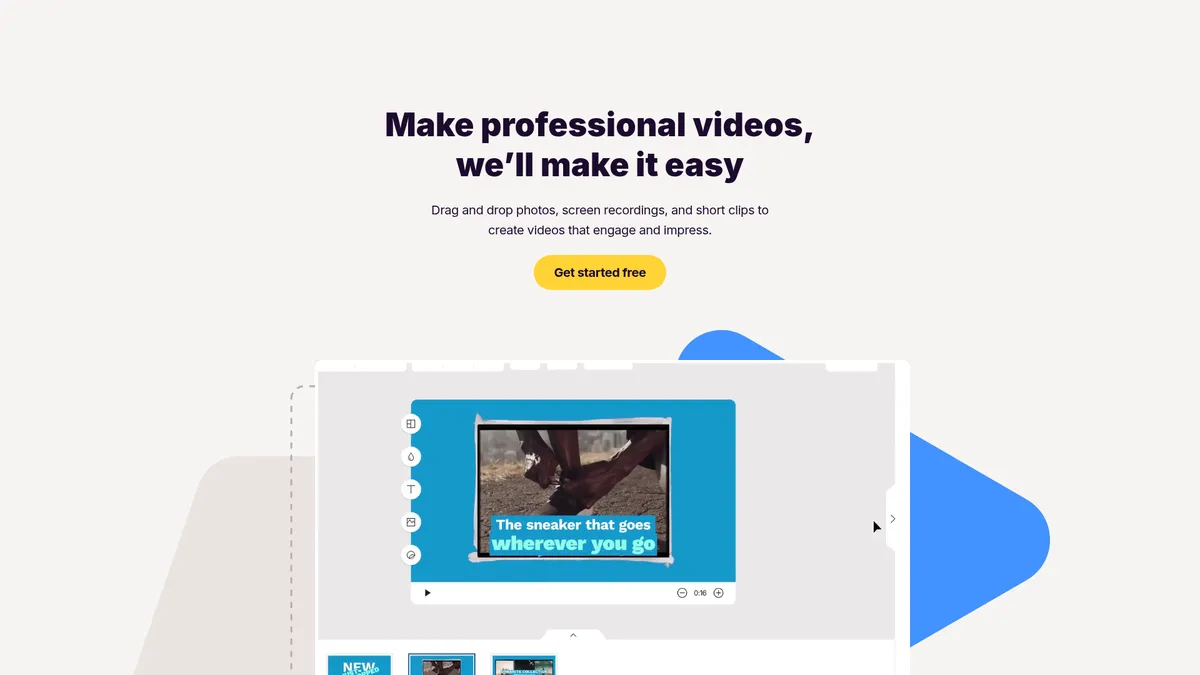
What is Animoto?
How to Use Animoto
Animoto makes video creation simple with its template-first approach. Follow these steps to create your first professional video from start to finish, no editing experience required.
Sign Up and Choose a Template
Create a free Animoto account and browse the template library organized by use case. Pick a template that matches your project—whether it's for social media, search ads, product demos, or company updates. Each template comes pre-designed with placeholder content, music, and text styling to give you a head start.
Add Your Media and Customize
Upload your own photos, video clips, or screen recordings, or choose from Animoto's built-in stock library with thousands of professional assets. Drag and drop your media into the template slots, then customize the text, colors, and fonts to match your brand identity and messaging.
Edit and Add Effects
Use the simple editing tools to trim clips, adjust timing, add transitions between scenes, and overlay text annotations. Apply pro effects like filters and motion enhancements to elevate your video's visual appeal without needing any advanced editing skills.
Preview and Export Your Video
Preview your video to ensure everything flows smoothly and looks polished. Choose your export resolution (up to 1080p HD on paid plans), add a custom thumbnail, and either download the MP4 file or share directly to social media platforms like Instagram, Facebook, YouTube, and LinkedIn.
Animoto Core Features
Animoto Use Cases
- 1Social Media Marketing: Create engaging videos for Instagram, Facebook, TikTok, and LinkedIn to boost brand awareness and drive engagement without needing a professional video editor or expensive equipment.
- 2Search Engine Advertising: Produce high-converting video ads for Google, YouTube, and Bing campaigns using templates specifically optimized for ad formats and platform requirements.
- 3Company Updates & Announcements: Quickly produce polished internal or external update videos, year-end recaps, and special announcements to keep employees, customers, and stakeholders informed.
- 4Team Training & Demos: Build screen-recorded tutorials, product demos, and onboarding materials that help train new employees or demonstrate product features in a clear, visual format.
- 5Product Promotions & Sales: Showcase products with professional-looking promotional videos highlighting key features, benefits, and limited-time offers to drive conversions and increase sales.
Pros and Cons of Animoto
Pros
- Incredibly intuitive drag-and-drop interface makes professional video creation accessible to complete beginners with no prior editing experience or technical skills required.
- Extensive library of customizable templates tailored for various use cases including social media, advertising, product demos, and company updates, saving hours of production time.
- Affordable pricing structure with a generous free tier, making it a cost-effective solution for small businesses, freelancers, and marketers operating on tight budgets.
- Fast video creation workflow with pre-built styles and effects, allowing users to produce polished, brand-consistent videos in minutes rather than hours or days.
✕ Cons
- Limited advanced editing capabilities such as multi-track timeline editing, keyframe animation, and granular control over effects, making it unsuitable for complex video projects.
- Requires a stable internet connection throughout the creation and export process since Animoto is cloud-based with no offline editing mode available for users.
- Video output customization is somewhat restricted with less control over aspect ratios, export settings, and formatting details compared to professional-grade editing software.
Animoto vs Top Alternatives
| Feature | Canva | Lumen5 | InVideo | Wave.video |
|---|---|---|---|---|
| Drag-and-Drop Interface | Yes | Yes | Yes | Yes |
| Template Library Size | Massive library across all media types | 300+ video templates | 4,000+ pre-made templates | 500+ business templates |
| Max Export Quality | 4K (Pro plan) | 1080p HD | 4K (Business plan) | 1080p HD |
| Starting Price | Free (basic features) | $19/mo (Starter) | Free (watermarked) | $24/mo (Pro) |
Animoto Pricing
Free
- 720p video exports
- Animoto watermark on videos
- Limited template access
- Basic stock library
- 5 free videos
Basic
- 1080p HD exports
- No watermark
- Full template library
- Custom fonts and colors
- Priority support
Professional
- Premium template access
- Logo watermark customization
- Video analytics
- Social media scheduling
- Brand kit
Team
- Unlimited video exports
- Team collaboration tools
- Shared brand portal
- Custom video player
- Dedicated support
Animoto FAQ
Is Animoto free to use?+
Do I need video editing experience to use Animoto?+
What types of videos can I create with Animoto?+
Can I use my own footage and images in Animoto?+
What video export quality does Animoto support?+
Is Animoto suitable for team collaboration?+
How does Animoto compare to other video editors?+
Animoto Review — Editor's Score
Who Should Use Animoto?
Small business owners, social media marketers, and content creators who need to produce polished videos quickly without hiring a professional editor or learning complex editing software. It's also ideal for teams that need to create consistent, on-brand video content at scale efficiently.
Animoto remains one of the best options for beginners and small businesses looking to create professional video content without a steep learning curve. While it lacks the advanced features that power users demand, its template-first approach, intuitive editor, and affordable pricing make it a reliable choice for social media marketing, ads, and internal communications. If speed and simplicity matter more than granular control, Animoto delivers consistently.
- Intuitive drag-and-drop editor perfect for video beginners
- Extensive template library tailored for marketing use cases
- Affordable pricing with a generous free tier to get started
- Quick video creation for social media, ads, and team training
📺 Animoto Tutorials & Introduction
Animoto Video Creation App: Review and Demo (2021) - YouTube
@Animoto Review 2026 | Best Reviews - YouTube
How To Use Animoto | Animoto Video Maker Tutorial (2026)
Keywords: