

AI Studios
Create pro videos with AI avatars in minutes
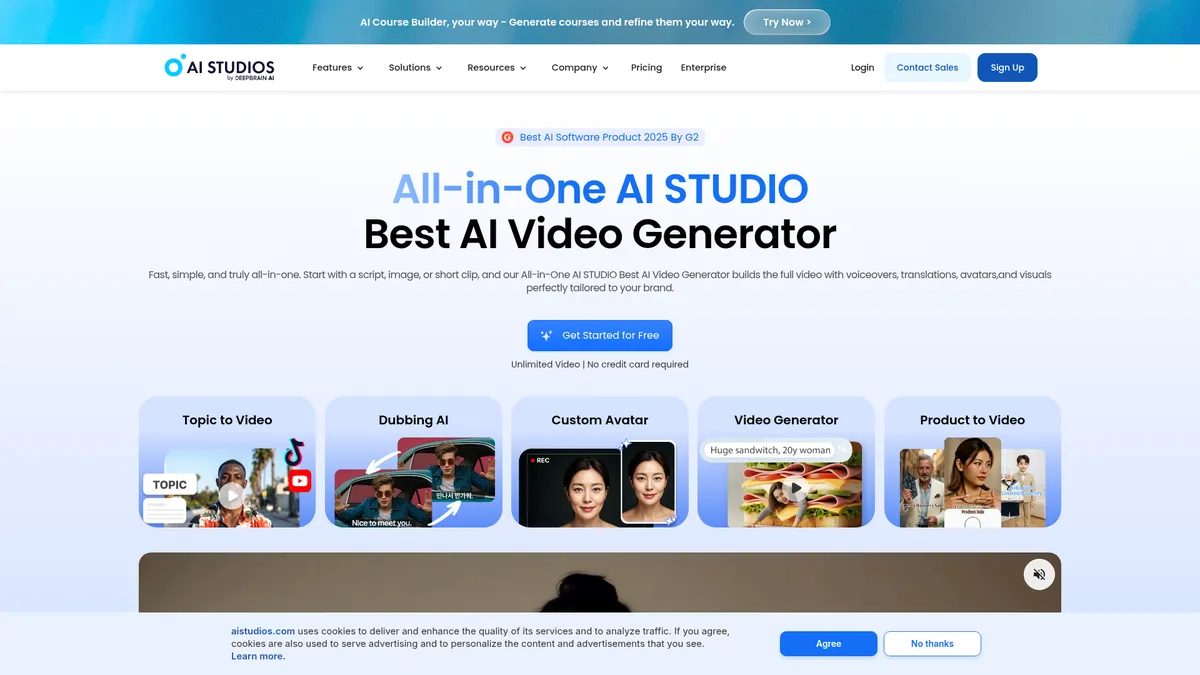
What is AI Studios?
How to Use AI Studios
Creating a professional AI-generated video with AI Studios is straightforward, even for first-time users. The platform walks you through script writing, avatar selection, customization, and export in a single cloud-based workflow. Here's how to get started in five simple steps.
Sign Up and Choose Your Plan
Head to aistudios.com and create a free account — no credit card required. The Free plan gives you immediate access to core features with limited credits. For unlimited videos, higher resolutions, and more avatars, you can upgrade to Personal ($24/mo) or Team ($55/seat/mo) at any time.
Write or Import Your Script
Start a new project and enter your script directly in the text editor, or describe a topic in plain English and let AI Studios generate a video from your idea. You can also upload existing scripts or repurpose blog posts and slide decks into video content with a single click.
Select or Create Your AI Avatar
Choose from over 2,000 pre-built AI avatars spanning different ages, ethnicities, and styles. For a personal touch, create a custom avatar by uploading a short video of yourself (2-5 minutes) or even a single photo. The platform will generate a digital talking head that matches your facial expressions and lip movements.
Customize with Templates, Media, and Subtitles
Pick from 7,000+ industry-specific templates or start from scratch. Add premium stock footage, images, and music from the built-in library. Adjust the video timeline, insert text overlays, and upload SRT subtitles for accessibility. You can also translate and dub the video into 150+ languages with automatic lip-sync.
Preview, Export, and Publish
Review your video in the built-in player. Once satisfied, export in your plan's maximum resolution (720p, 1080p, or 4K). Download the file directly, or publish to social platforms from within the workspace. Paid plans get priority video slots for faster processing.
AI Studios Core Features
AI Studios Use Cases
- 1Marketing and advertising teams use AI Studios to rapidly produce product demos, UGC-style ads, and social media clips without hiring a full production crew.
- 2E-learning and corporate training departments generate multilingual course videos, narrated tutorials, and interactive avatar-led lessons at scale.
- 3International businesses localize existing video content by dubbing into dozens of languages with accurate lip-sync for global audience reach.
- 4Brands create custom digital avatars from photos or videos to serve as consistent virtual spokespeople across campaigns.
- 5Enterprise teams scale internal communications by producing executive updates, HR announcements, and onboarding videos in minutes instead of weeks.
Pros and Cons of AI Studios
Pros
- Comprehensive all-in-one platform that combines video creation, AI avatars, editing, dubbing, and translation in a single cloud workspace
- Massive library of 2,000+ pre-made avatars and 7,000+ templates that dramatically reduce production time from scratch
- Excellent multilingual support with 150+ languages and realistic lip-sync dubbing for global content strategies
- Generous free tier with no credit card required, plus scalable paid plans that include high-resolution export and priority processing
✕ Cons
- Free tier is heavily restricted with only 3 videos, 720p export, and limited generative credits for meaningful production
- Costs can escalate quickly for larger teams or heavy generative usage due to seat-based pricing and credit consumption
- No self-hosting or on-premise option available, and limited public transparency around data privacy certifications and security practices
AI Studios vs Top Alternatives
| Feature | Synthesia | HeyGen | Colossyan |
|---|---|---|---|
| Number of AI Avatars | 2,000+ avatars | 140+ avatars | 100+ avatars |
| Language Support | 150+ languages | 120+ languages | 40+ languages |
| Max Export Quality | 4K (Team plan) | 1080p | 4K |
| Starting Price | $24/mo | $29/mo | $24/mo |
AI Studios Pricing
Free
- Up to 3 AI videos (≤3 min each)
- 1 custom avatar
- 720p export
- 16 one-time generative credits
- Audio-only dubbing
Personal
- Unlimited AI videos (≤30 min)
- 3 custom avatars
- 1080p export
- 50 priority video slots per month
- 120 min AI dubbing per month
Team
- Unlimited AI videos (≤60 min)
- 5 custom avatars
- 4K export
- 150 priority video slots per month
- 240 min AI dubbing per month
AI Studios FAQ
What is AI Studios?+
Is AI Studios free to use?+
How does AI Studios' avatar system work?+
What languages does AI Studios support for dubbing?+
What export resolutions are available on AI Studios?+
Can I collaborate with my team on AI Studios?+
What are generative credits and how do they work?+
AI Studios Review — Editor's Score
Who Should Use AI Studios?
AI Studios is ideal for marketers, e-learning developers, content creators, and enterprise teams who need to produce high-volume video content across multiple languages without hiring a production crew. It's also a strong fit for brands looking to create custom AI avatars for consistent spokesperson representation.
AI Studios is one of the most comprehensive AI video creation platforms on the market, combining text-to-video generation, a massive avatar library, multilingual lip-sync dubbing, and thousands of templates into a single cohesive workspace. It's not the cheapest option, and the free tier is quite limited, but the breadth of features and quality of output justify the investment for serious content creators and enterprises.
- All-in-one workspace eliminates the need for multiple video tools
- 2,000+ pre-made avatars and custom avatar builder from video or photo
- 150+ language dubbing with accurate lip-sync for global reach
- 7,000+ templates and premium stock library for rapid production
- Usable free tier and scalable paid plans with 4K export
📺 AI Studios Tutorials & Introduction
The Best AI Avatar Tool | All-in-One AI Studios Does It All! - YouTube
From Script to Video: AI Studios by DeepBrain AI in Action - YouTube
This AI Tool Does EVERYTHING AI Studios by DeepBrain AI
Keywords: