

Adalo
Build custom apps without writing code
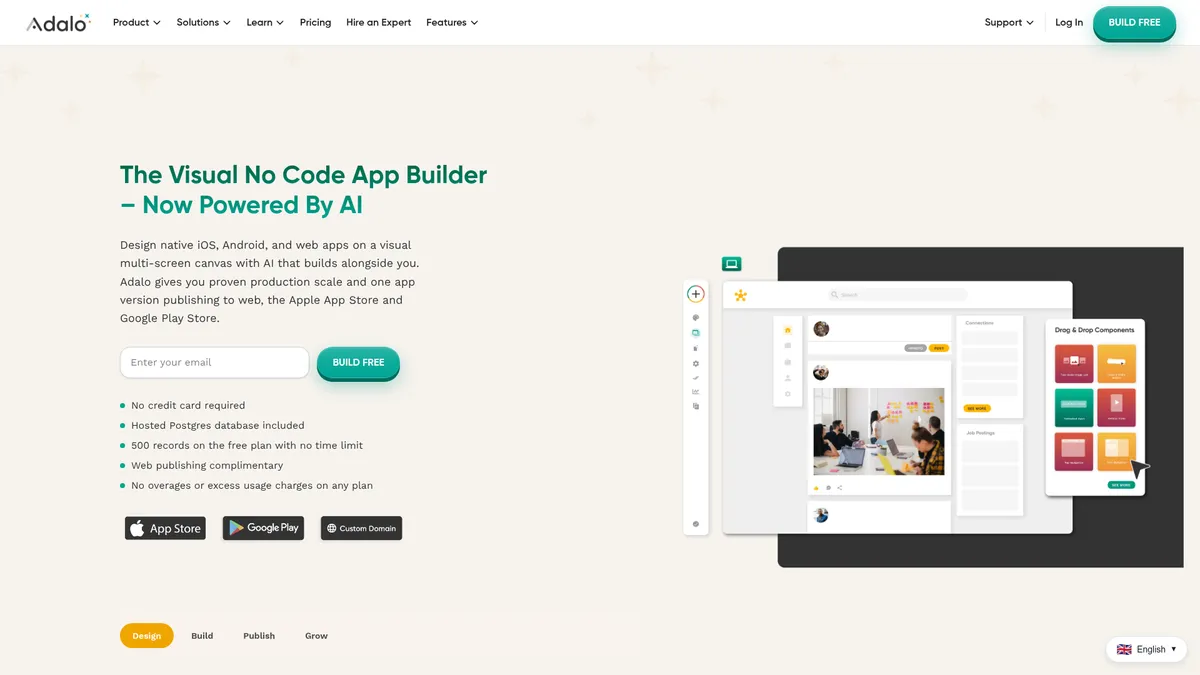
What is Adalo?
How to Use Adalo
Adalo makes app development accessible to everyone with its intuitive no-code platform. Follow this step-by-step guide to build and publish your first custom app from scratch.
Sign Up and Create a New Project
Create a free Adalo account and start a new project. You can choose from a variety of pre-built templates tailored for different use cases like marketplaces, portals, or content apps, or begin with a blank canvas.
Design Your App Interface
Use the drag-and-drop canvas to add and arrange components like screens, buttons, text fields, images, lists, and maps. Customize fonts, colors, and logos to match your brand identity.
Set Up Your Data Model
Define collections and fields in the hosted PostgreSQL database to store your app's data. Create relationships between collections and set up user authentication for personalized experiences.
Add Business Logic with Custom Actions
Wire together screens and data using custom actions and formulas. Set up conditional logic, automate workflows, and integrate with external services through Zapier or custom APIs.
Preview, Test, and Publish Your App
Use the live preview to test your app on real devices, then publish it directly to the Apple App Store, Google Play Store, or the web with a custom domain. Monitor performance with built-in analytics.
Adalo Core Features
Adalo Use Cases
- 1Building a customer portal app where users log in to access their data, manage accounts, and submit requests without needing a development team. Adalo's authentication and database features make this straightforward to implement.
- 2Creating a marketplace app connecting buyers and sellers with user profiles, listings, messaging, and in-app payments. The visual builder lets you iterate on the design and user flow quickly.
- 3Developing an event management app for conferences or meetups with scheduling, attendee networking, push notifications, and ticketing. The component marketplace has ready-made templates to speed this up.
- 4Building internal business tools like inventory trackers, employee directories, or project management dashboards that connect to existing data. Custom actions and formulas handle the complex business logic.
- 5Launching a content or subscription-based app with user accounts, premium content gating, and recurring billing. The platform handles both iOS and Android deployment from a single codebase.
Pros and Cons of Adalo
Pros
- True no-code development enables anyone, regardless of technical background, to create functional database-driven mobile and web apps without writing a single line of code.
- Visual drag-and-drop interface with real-time preview makes the design process intuitive and allows rapid prototyping and iteration during the development phase.
- AI-powered Ada assistant accelerates app creation by generating components, layouts, and even entire screens based on natural language descriptions.
- Comprehensive feature set including push notifications, in-app purchases, Zapier integration, and custom domains covers most standard app requirements out of the box.
✕ Cons
- Free plan is heavily restricted with only 500 records per app and a single editor limit, forcing users to upgrade early in the development process.
- Complex applications with intricate conditional logic can have a steep learning curve despite the no-code approach, especially for non-technical users.
- Vendor lock-in means your app is hosted on Adalo's infrastructure with limited options for exporting code or migrating to another platform.
Adalo vs Top Alternatives
| Feature | Bubble | FlutterFlow | Glide |
|---|---|---|---|
| Building Approach | Visual drag-and-drop with responsive design workflows | Visual builder with optional custom code export | Spreadsheet-driven visual builder interface |
| Platform Support | Primarily web app publishing | iOS, Android, and Web app publishing | iOS, Android, and Web app publishing |
| Database & Logic | Built-in database with complex workflow logic | Firebase, Supabase, and custom API integration | Google Sheets, Excel, or Glide Tables data sources |
| Pricing (Starts at) | Free plan; paid plans from $29/mo | Free plan; paid plans from $30/mo | Free plan; paid plans from $32/mo |
Adalo Pricing
Free
- 500 records per app
- Unlimited app actions
- 1 app editor
- Adalo branding
Starter
- 1 published app
- Unlimited app actions
- 1 app editor
- Custom domain
Professional
- 2 published apps
- Unlimited app actions
- 5 app editors
- Custom integrations
Team
- 5 published apps
- Unlimited app actions
- 10 app editors
- Priority support
Adalo FAQ
What is Adalo and who is it for?+
Can I publish apps built with Adalo to the App Store and Google Play?+
Does Adalo offer a free plan?+
How does Adalo compare to traditional coding?+
Can I connect external data sources to my Adalo app?+
What kind of apps can I build with Adalo?+
Is there a limit on how many users my Adalo app can have?+
Adalo Review — Editor's Score
Who Should Use Adalo?
Entrepreneurs, small business owners, freelancers, and product managers who need to launch MVPs or internal tools quickly without coding expertise.
Adalo delivers on its promise of no-code app development with an impressively visual and intuitive platform. While the free tier is limited and complex logic can be challenging, it remains one of the most accessible ways to build production-ready mobile and web apps without hiring a developer.
- Truly no-code visual app builder
- AI-powered Ada development assistant
- Publish to iOS, Android, and web
- Comprehensive component marketplace
📺 Adalo Tutorials & Introduction
Adalo App Builder: 10 Things I Like About It [No-Code ... - YouTube
An Overview of Adalo | A No Code App Builder Tutorial - YouTube
Adalo + ChatGPT | Create an AI Experience in Your No-Code App
Keywords: