

ActivePieces
Open-source AI workflow automation for teams
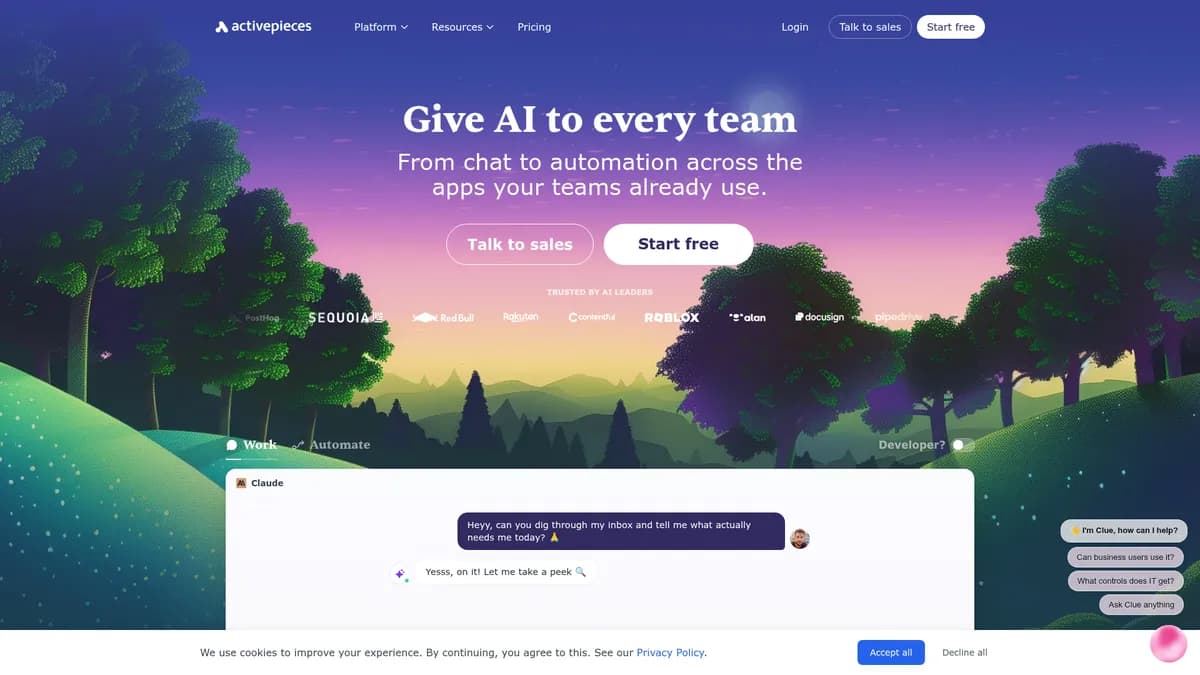
What is ActivePieces?
How to Use ActivePieces
Learn how to create your first AI-powered workflow with ActivePieces in just a few steps. This guide will walk you through setting up an account, connecting your favorite apps, and building an automated agent that handles tasks without manual intervention.
Create your ActivePieces account
Sign up for a free ActivePieces account at their website. You can start with the Standard plan which includes 10 active flows at no cost, or download the Community Edition from GitHub if you prefer self-hosted deployment on your own infrastructure.
Connect your first integration
Browse the integrations catalog and select the apps you want to connect. ActivePieces offers 740+ pre-built Pieces for popular services like Gmail, Slack, OpenAI, and HubSpot. Authenticate each service to grant your workflows secure access to data and actions.
Build a workflow using the visual editor
Use the drag-and-drop interface to create your automation flow. Start with a trigger like 'new email' or 'new lead', add action steps such as 'send to Slack' or 'generate AI response', and configure each step's parameters to match your exact requirements.
Add AI agents for intelligent automation
Use the AI Agent Builder to add autonomous decision-making to your workflow. Configure the agent's instructions, connect it to your data sources, and set up human-in-the-loop approval steps for critical actions that require human validation before execution.
Test and activate your automation
Run a test execution to verify your workflow behaves as expected. Review the execution logs, check for errors, and refine the logic as needed. Once satisfied, activate the flow and monitor its performance through the built-in analytics dashboard.
ActivePieces Core Features
ActivePieces Use Cases
- 1Sales lead handling and qualification - Automatically capture leads from web forms and CRM tools, enrich them with AI-powered data analysis, and route qualified prospects to the right sales rep. ActivePieces can score leads, send personalized follow-ups, and trigger deal-closing workflows without manual intervention.
- 224/7 AI-powered customer support triage - Connect your support channels like email, Slack, and Intercom to an AI agent that automatically categorizes tickets, looks up knowledge base articles, and provides instant responses. When complex issues arise, the agent escalates to human agents with full conversation context.
- 3Marketing campaign automation - Launch multi-channel campaigns by generating content with AI, scheduling social media posts, and tracking engagement metrics across platforms. ActivePieces can automatically repurpose blog content into social posts, email newsletters, and ad copy.
- 4Financial reconciliation and bookkeeping - Automate invoice processing, expense categorization, and account reconciliation by connecting your accounting software with bank feeds and payment platforms. The platform flags discrepancies and generates monthly financial reports with minimal manual oversight.
- 5Employee onboarding and HR automation - Streamline new-hire onboarding by automatically provisioning accounts across HR systems, IT tools, and communication platforms. ActivePieces can send welcome emails, assign training materials, and trigger equipment requests based on role and department.
Pros and Cons of ActivePieces
Pros
- Open-source core with MIT license provides complete transparency and the freedom to self-host, giving enterprises full control over their data and infrastructure.
- AI-first architecture with a dedicated AI Agent Builder makes it one of the most forward-thinking automation platforms for teams adopting generative AI.
- Generous free tier with unlimited runs and 10 active flows lets small teams get started without any upfront investment or per-execution costs.
- Enterprise-grade governance features including SSO, RBAC, and audit logs are available even on lower-tier plans, not locked behind expensive enterprise contracts.
✕ Cons
- Self-hosted Community Edition requires significant technical expertise to install and maintain, making it less accessible for non-technical teams wanting on-premise control.
- Pricing for the Ultimate plan is opaque and requires a custom quote, making it difficult for enterprises to budget without a sales conversation.
- Advanced data transformation and error handling capabilities are not well-documented, potentially requiring deeper product evaluation to assess suitability for complex workflows.
ActivePieces vs Top Alternatives
| Feature | n8n | Zapier | Make |
|---|---|---|---|
| Open-Source & Self-Hostable | Yes (MIT license) | No (cloud-only) | No (cloud-only) |
| AI Agent Builder | Limited via code nodes | Yes (Zapier Central) | Limited AI modules |
| Number of Integrations | 400+ integrations | 6,000+ integrations | 1,500+ integrations |
| Starting Price | Free (self-hosted) | $19.99/mo | $9/mo |
ActivePieces Pricing
Standard (Free)
- 10 active flows
- Unlimited runs
- AI agents
- Unlimited MCP servers
- Unlimited tables
- Community support
Standard (Usage-Based)
- Unlimited active flows
- Unlimited runs
- AI agents
- Enterprise governance
- Community support
Ultimate
- Unlimited active flows
- Full security suite (SSO, RBAC, audit logs)
- Priority support with SLA
- Custom integrations
- Dedicated account management
Community Edition
- MIT open-source license
- Self-hosted deployment
- Core automation features
- 740+ integrations
- Community support
ActivePieces FAQ
What is ActivePieces and how does it work?+
How is ActivePieces different from Zapier?+
Is ActivePieces really free?+
Can I self-host ActivePieces?+
Does ActivePieces support AI agents?+
How many integrations does ActivePieces support?+
What kind of support is available for ActivePieces?+
ActivePieces Review — Editor's Score
Who Should Use ActivePieces?
ActivePieces is ideal for small to large teams that want to automate repetitive workflows with AI capabilities, especially those in sales, marketing, support, and operations. It's particularly well-suited for organizations that prioritize data sovereignty and want the option to self-host, as well as forward-thinking enterprises looking to democratize AI adoption across departments.
ActivePieces stands out as a genuinely forward-thinking automation platform that puts AI at the center rather than treating it as an add-on. Its open-source core combined with enterprise-grade governance features makes it a compelling choice for organizations that want to adopt AI automation without vendor lock-in. While the self-hosted option requires technical chops and the Ultimate plan pricing is opaque, the generous free tier and transparent usage-based pricing make it easy to start. For teams looking to build AI agents and automated workflows without breaking the bank, ActivePieces is one of the strongest options available today.
- Open-source MIT license with self-hosting option for complete data control
- Dedicated AI Agent Builder for creating autonomous AI workflows visually
- 740+ pre-built integrations with major SaaS platforms and growing
- Generous free tier with unlimited runs and 10 active flows at no cost
📺 ActivePieces Tutorials & Introduction
Activepieces Quickstart Tutorial: Start Automating in 5 Minutes
This Tool Turns Claude Into an Automation Engine (ActivePieces)
What Is Activepieces? | Activepieces 101 Series - YouTube
Keywords: